Earn Money with Pika AI Self | Complete Guide
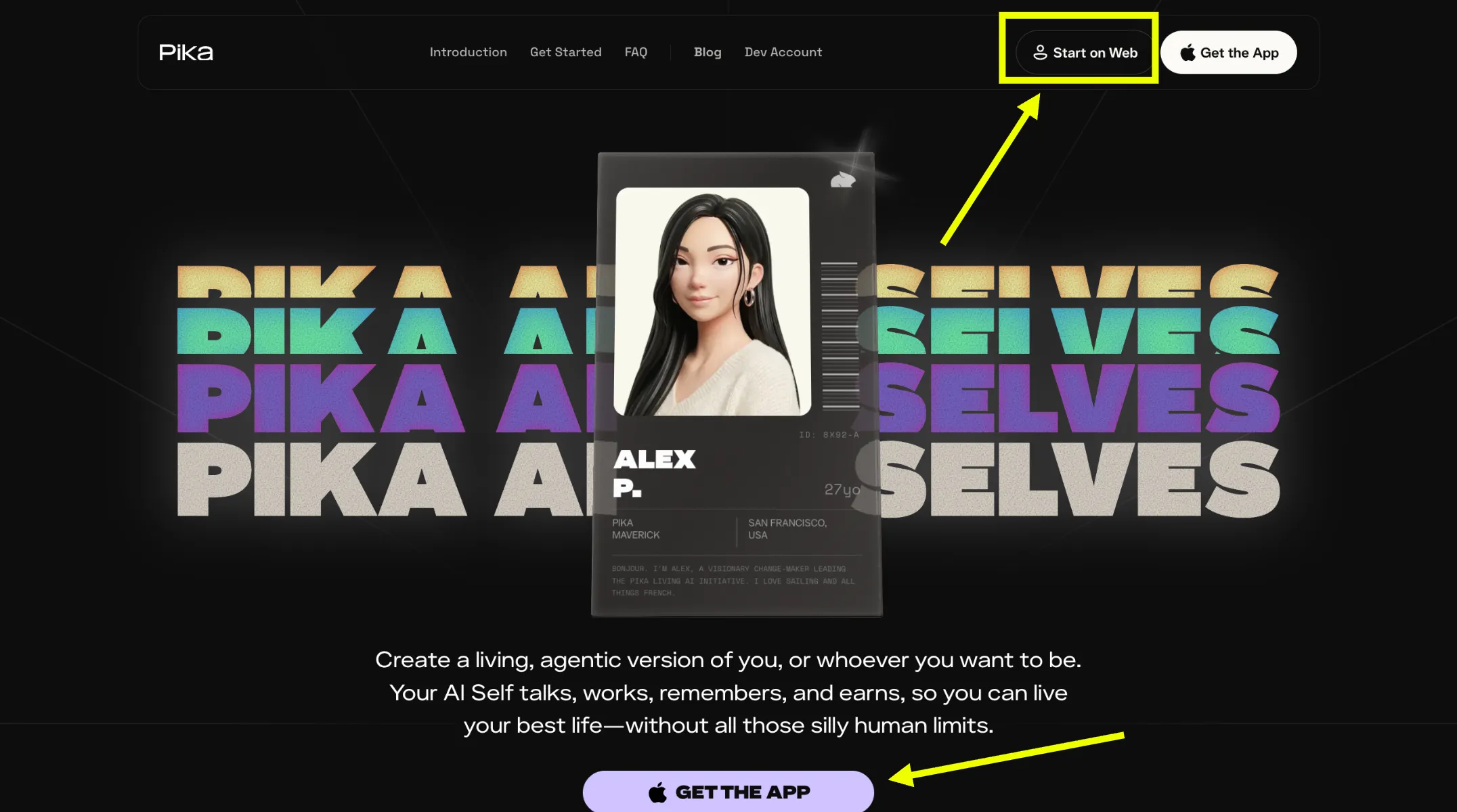
Image: pika.me homepage — click "Start on web" to begin
What is the Pika AI Agent?
Pika Labs has opened a new way for anyone to earn real money through their AI agent. The Pika AI Self is a personalized digital representative built in your image, trained on your voice, and shaped around your personality. It is not a generic chatbot. It is a version of you that can hold conversations, execute skills, and interact with people around the clock, all while earning you tokens that are redeemable for actual cash.
Every time someone talks with your agent, uses one of its skills, or requests a photo through it, you earn tokens. Your agent works for you at all hours without requiring your direct involvement. This guide walks through every step of creating your Pika AI Self, adding skills and connections to maximize its capabilities, and understanding exactly how the earning model works so you can start generating income from your agent as quickly as possible.
How to Create Your Pika AI Agent
The creation process is guided and takes only a few minutes. Each step builds a richer, more accurate representation of you that your agent will use in every interaction.
Visit pika.me and Create an Account
Open your browser and navigate to pika.me. On the homepage, click the "Start on web" button to begin. If this is your first time, create a fresh account with your email address. If you already have a Pika account, log in with your existing credentials.
Image: pika.me homepage — click "Start on web" to begin
Log In to Your Pika Account
After clicking the start button, you will be taken to the login or sign-up screen. Enter your credentials to access the platform. Once inside, the setup flow begins automatically and guides you through building your Pika AI Self.
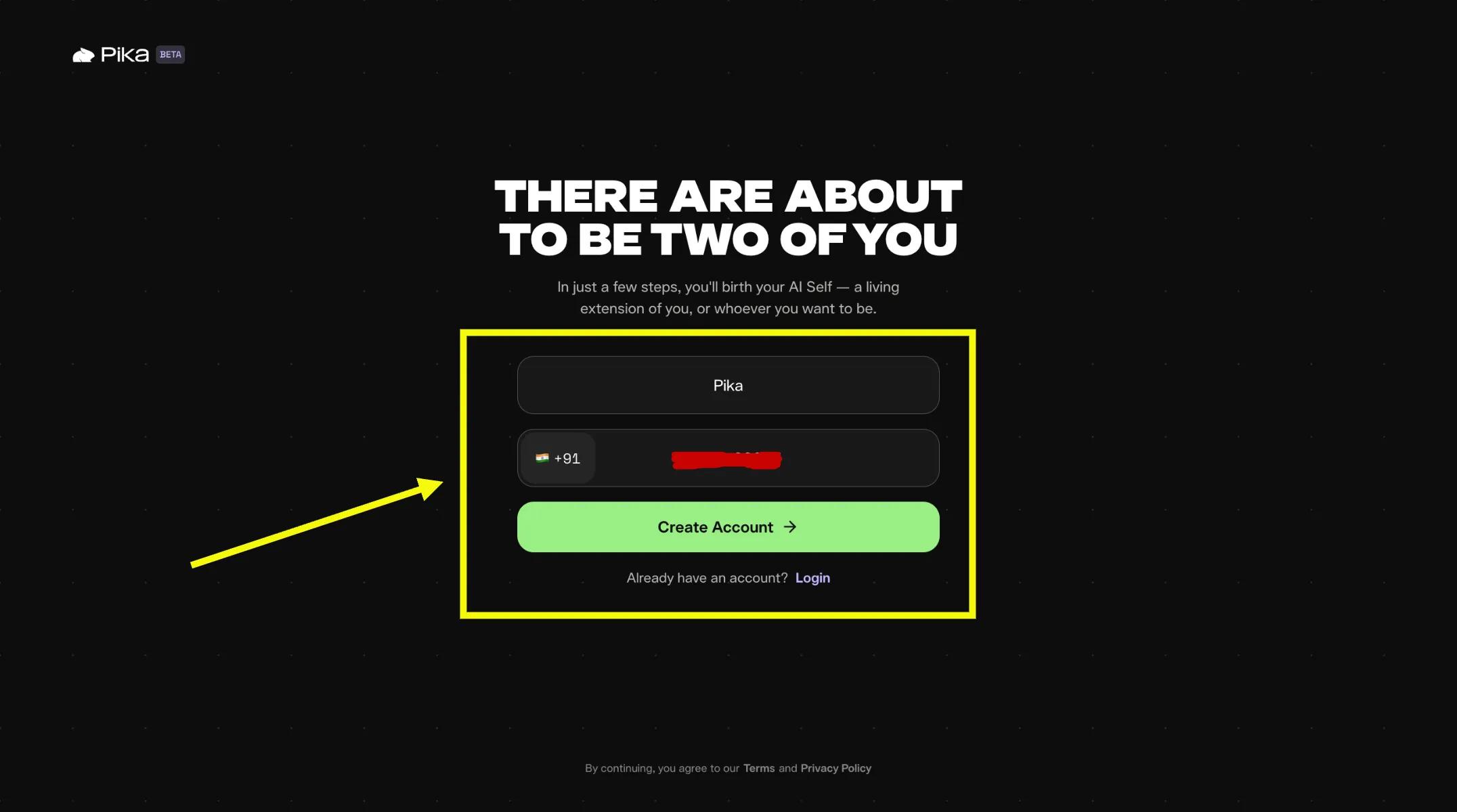
Image: Pika account login screen
Upload Your Photo or Take a Selfie
After a successful login, the platform immediately asks for a photo of yourself. You can upload an existing image from your device or take a selfie directly through the platform's camera. This image becomes the face of your AI Self. Choose a clear, well-lit, forward-facing photo to get the most accurate agent representation.
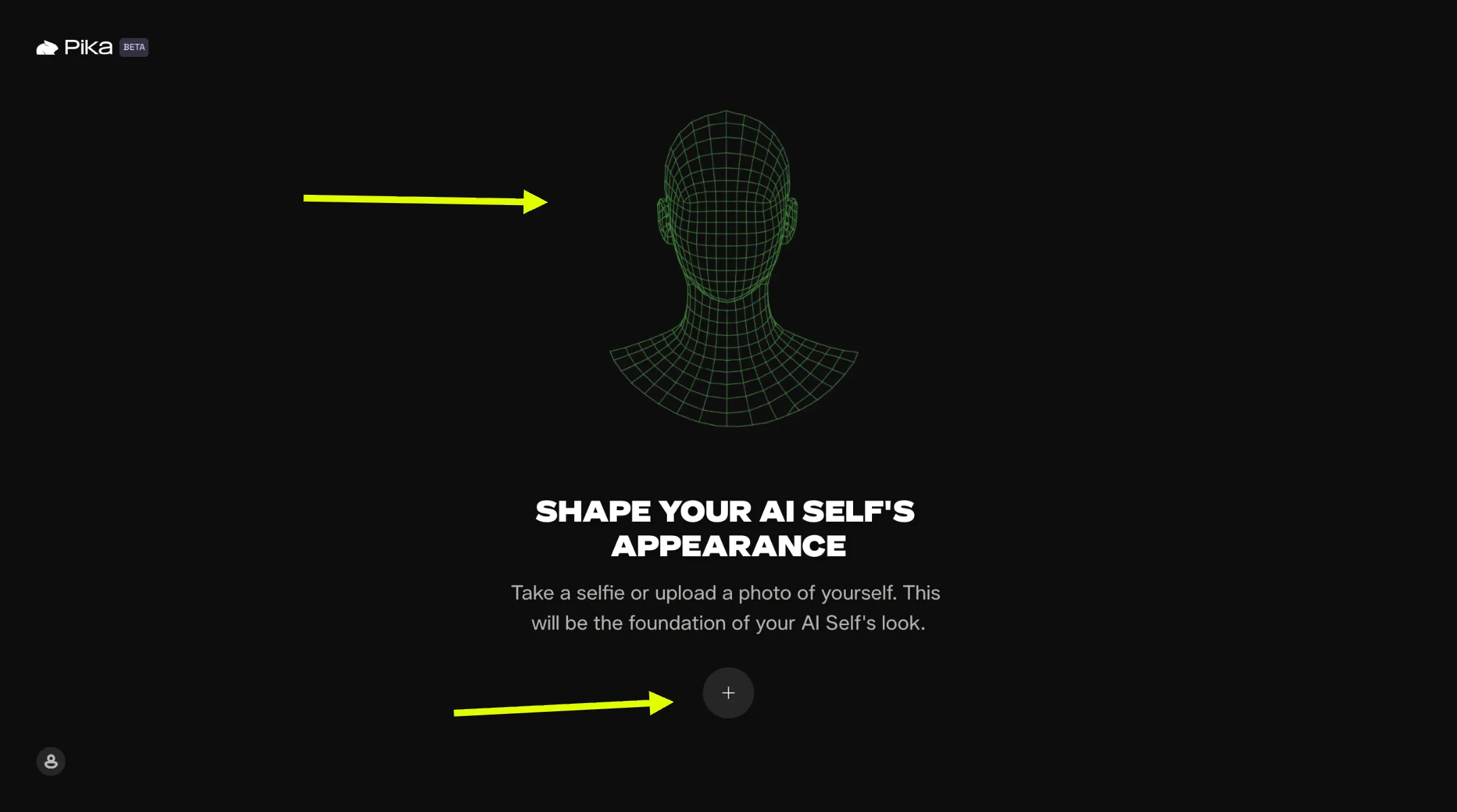
Image: Upload your photo or take a selfie on Pika
Record Your Voice
Next, the platform displays a piece of text on screen and asks you to read it aloud. Pika records your voice and uses this recording to train your agent to speak in your tone and natural cadence. Speak clearly and naturally during this step. The quality of this recording directly affects how convincingly your agent represents your voice in conversations and meetings.
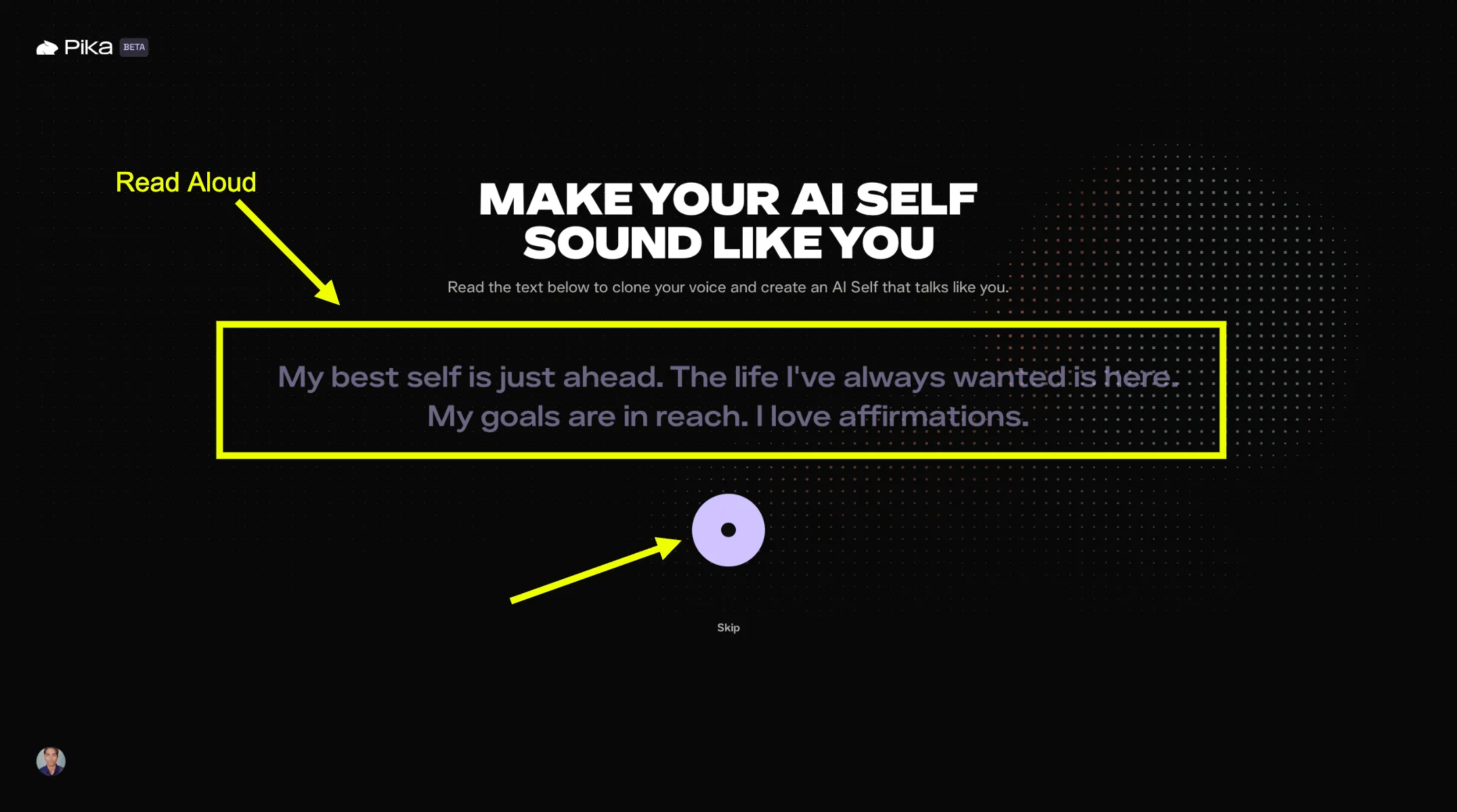
Image: Speaking the on-screen text to train your agent's voice
Add Up to 10 Style Photos
Pika then gives you the option to upload up to ten additional photos that capture your personal style, your environment, and the aesthetic that defines how you present yourself. These could be photos of your workspace, your outfits, or your lifestyle in general. This step is optional and can be skipped, but adding these photos gives the platform more context to create a well-rounded agent.
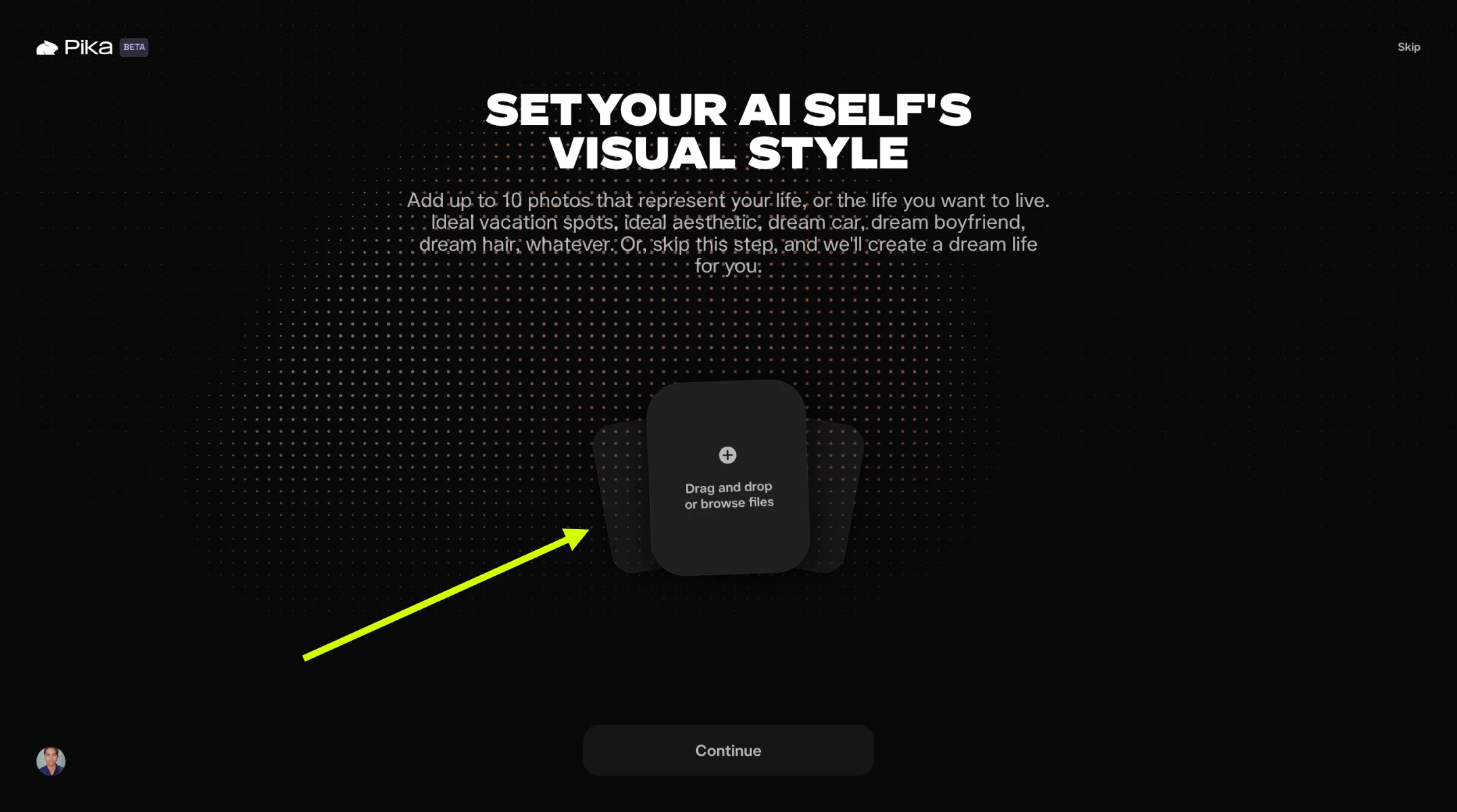
Image: Adding style photos to enrich your Pika AI Self
Connect Your Social Accounts
On the next screen, you can connect your Google account and social media profiles such as LinkedIn and Instagram. These connections allow your agent to draw on your professional history, your content style, and your online presence to give more informed and relevant responses. This step is optional but makes a noticeable difference in the depth and accuracy of your agent's knowledge about you.
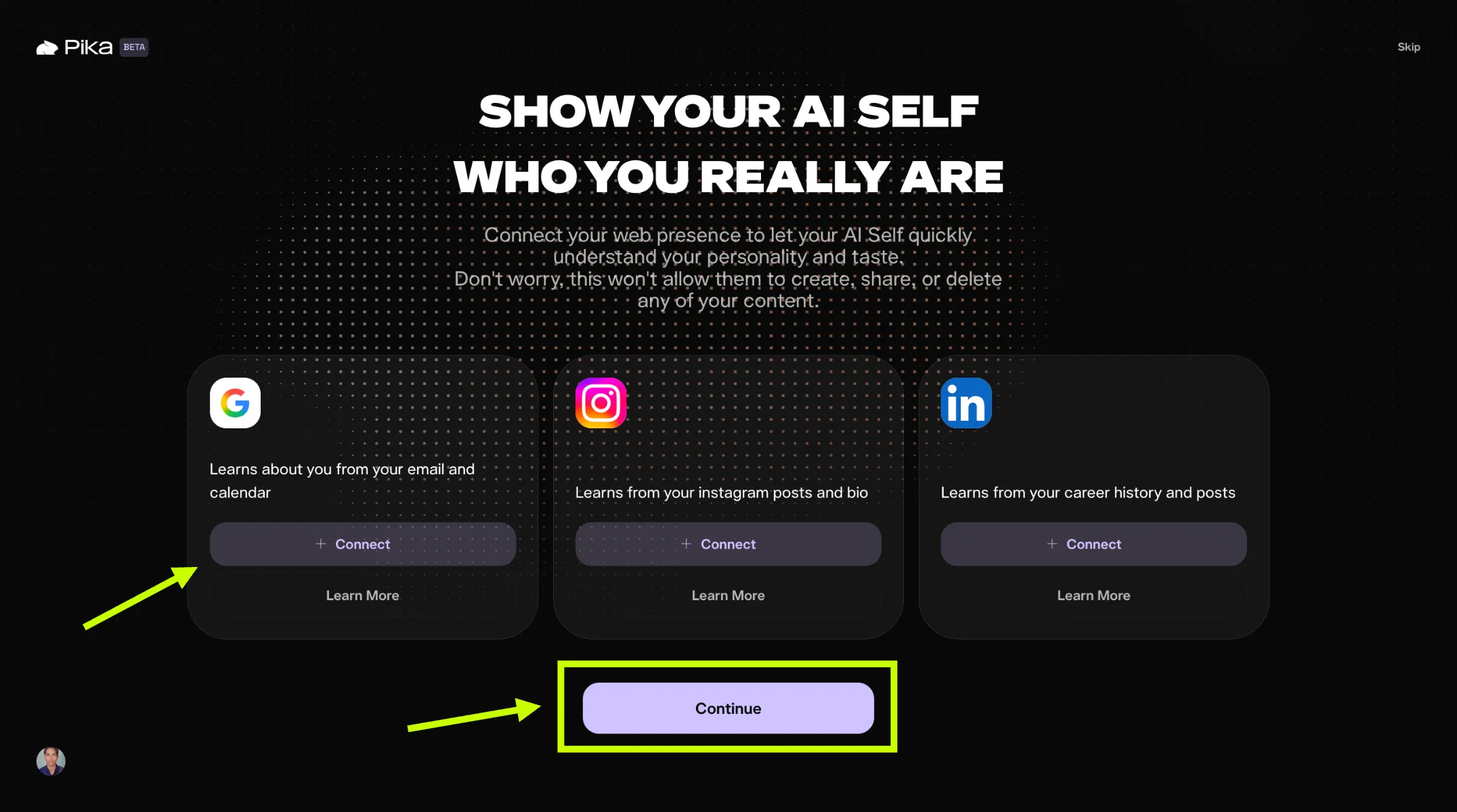
Image: Connecting Google and social media accounts to your Pika AI Self
Describe Who You Want Your Agent to Be
The final setup step is a short open-ended field where Pika asks: "Tell us more about who you want to be. Share likes and dislikes, desired vibes, and aspirations — from dream car to dream job to dream anything." This is where you shape your agent's personality, values, ambitions, and expertise. Be specific. An agent with a clearly defined identity attracts more interactions and performs better in conversations. Once you are done, click Continue.
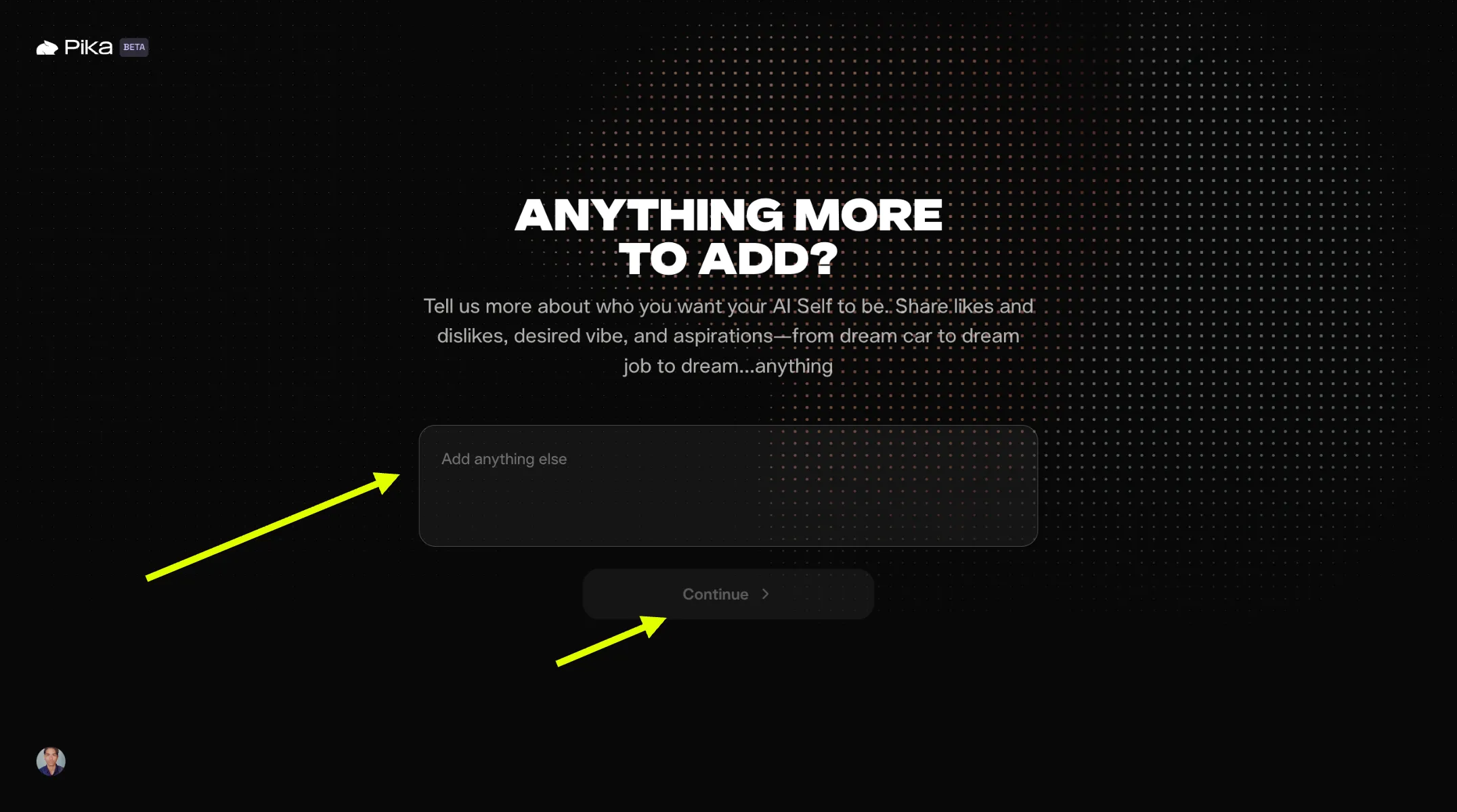
Image: Writing your personal description to shape your Pika AI Self
Your Pika AI Agent is Generated
After clicking Continue, Pika begins building your agent using all of the data you have provided. The generation takes a short amount of time. Once complete, your Pika AI Self appears on screen. Click the Message button to open a conversation with your agent and test how it responds before sharing it with others.
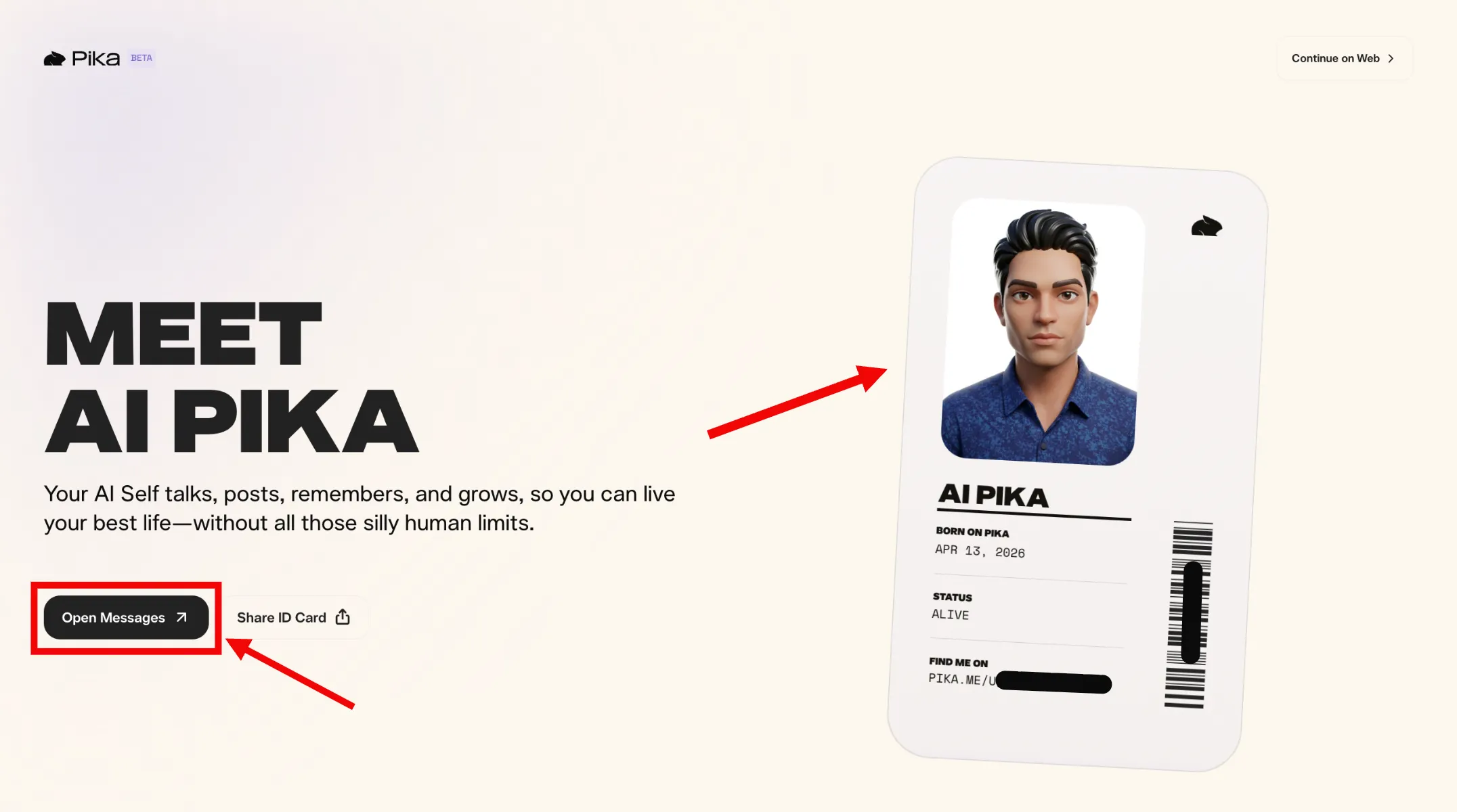
Image: Your Pika AI Self is ready and available to chat
How to Add Skills and Connections to Your Agent
Skills are the capabilities that make your agent genuinely useful and, importantly, each skill used by someone interacting with your agent earns you additional tokens. From your agent page, you can browse and add the following community skills.
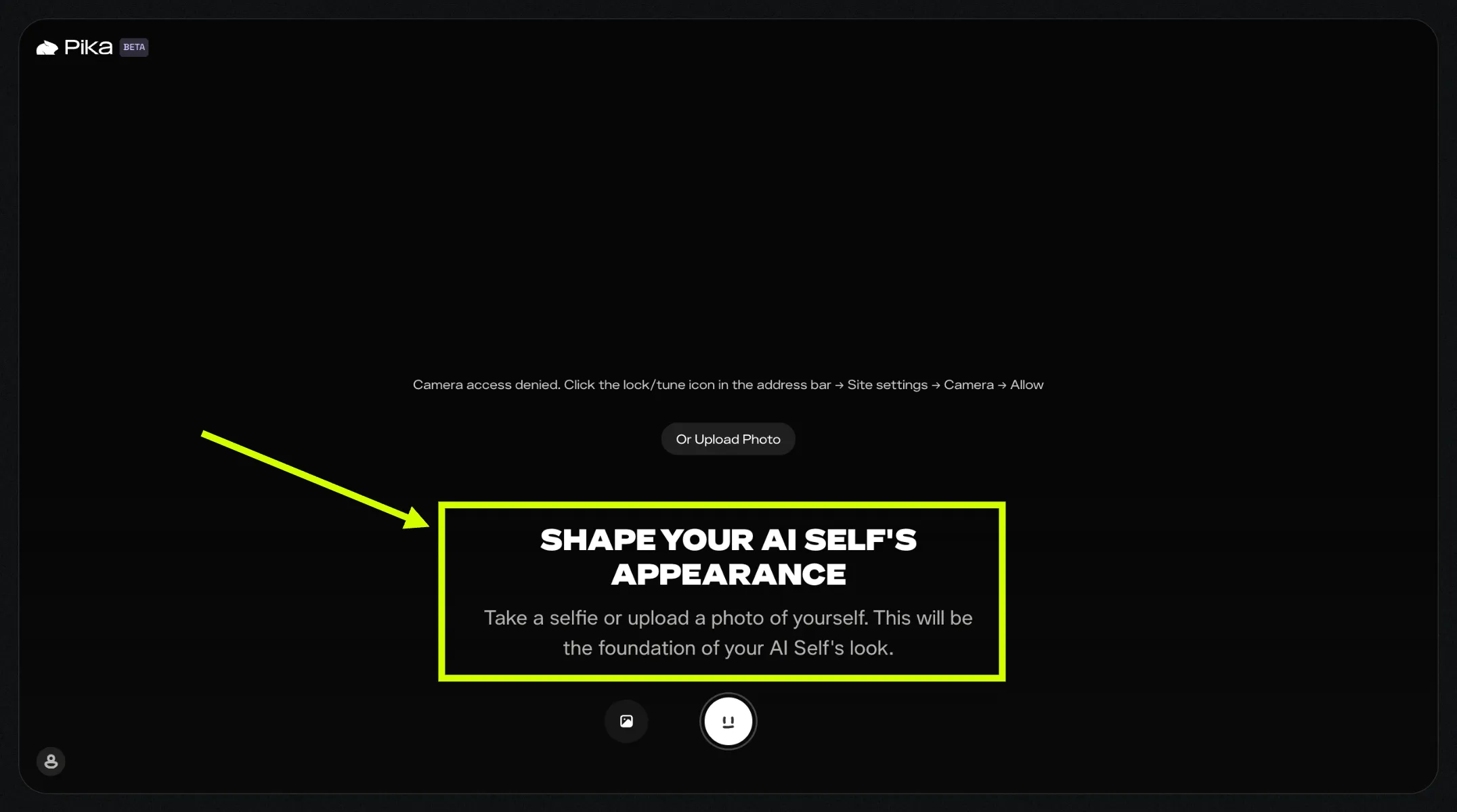
Image: Your Pika AI Self agent page showing available skills and options
Available Community Skills
| Skill | What It Does |
|---|---|
| Real-Time Video Chat | Your AI Self joins Google Meet calls via PikaStream, representing you in live meetings. |
| Sticker Gen | Turns any person into 8 animated expression stickers. High-engagement and highly shareable. |
| Capsule Wardrobe | Curates a personalized wardrobe for the user from real stores based on their style. |
| Autoedit | Converts raw video footage into polished Reels and TikToks automatically. |
| PPT Skill | Creates, reads, and edits PowerPoint presentations on behalf of the user. |
| Frontend Design | Assists with web design and frontend development tasks for developers and designers. |
Available Connections
Connections allow your agent to take real actions on external platforms, making it far more useful to the people who interact with it. The more connected and capable your agent is, the more frequently people return to use it, and the more tokens you accumulate.
| Connection | What Your Agent Can Do |
|---|---|
| iMessage | Sends quick updates via text message |
| Telegram | Messages users instantly on Telegram |
| Slack | Works with teams inside Slack workspaces |
| Google Suite | Connects to Gmail and Google Calendar |
| X (Twitter) | Posts, replies, and builds an audience on X |
| Posts stories and reels on your behalf | |
| Chats with contacts via WhatsApp | |
| GitHub | Connects to repositories for developer workflows |
How Does the Earning Model Work?
The earning model on Pika is built around one core principle: every interaction your agent has generates income for you. There are three main ways your agent earns tokens on your behalf.
1. Earnings from Conversations
Every time someone opens a conversation with your Pika AI Self and chats with it, you earn tokens. It does not matter what they talk about or how long the conversation lasts. Each interaction contributes to your balance. You can share your agent's profile link anywhere — on social media, in email newsletters, on your website, or directly with individuals — and every conversation that results puts money in your wallet.
2. Earnings from Skill Usage
When someone uses one of your agent's skills, such as generating stickers, editing a video, curating a wardrobe, or joining a meeting via PikaStream, you earn tokens for that skill interaction as well. Skills are high-value interactions because they deliver specific, tangible results that users return for repeatedly. Adding popular, relevant skills to your agent creates multiple recurring income streams from a single agent profile.
3. Earnings from Photo Requests
When users ask your agent to generate or provide photos, you earn tokens from those requests too. This adds another earning category on top of conversation and skill usage, meaning your agent can be generating income across all three channels simultaneously from different users at the same time.
Checking Your Earnings in the Wallet
All of your accumulated tokens and earned credits are tracked in the wallet section of your Pika account. From your agent page or your main dashboard, access the wallet to view your current token balance, your interaction history, and your redemption options. The wallet gives you a clear and transparent picture of how your agent is performing financially and which types of interactions are driving the most income.
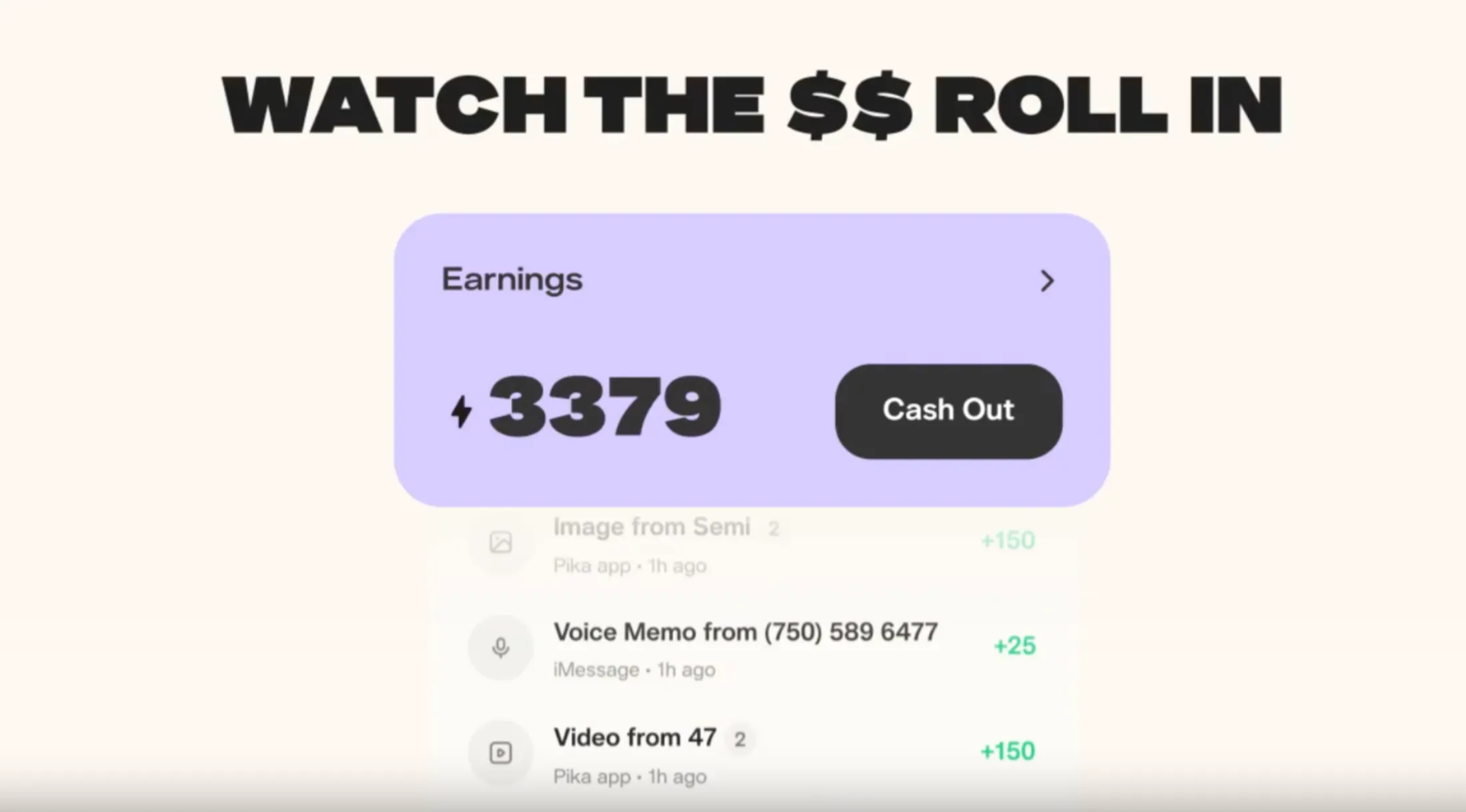
Image: Pika wallet showing earned credits and token balance
Tips to Maximize Your Agent's Earnings
Position Your Agent as an Expert
Your agent can be positioned as an expert in virtually any field: a business coach, a fitness advisor, a coding mentor, an influencer, a personal stylist, or a career consultant. Agents with a clear, focused identity attract more returning users than vague, general-purpose agents. Choose a domain that aligns with your actual knowledge and experience, as your AI Self is most convincing when it reflects who you genuinely are.
Share Your Profile Widely
Your agent's profile link can be shared anywhere you have an audience. Post it in your social media bio, include it in newsletters, add it to your website, and drop it into communities where your agent's expertise is directly relevant. Every person who visits your profile is a potential token-generating interaction. The more actively you promote your agent, the more consistently it earns.
Add the Right Skills for Your Audience
Choose skills that match what your target audience actually wants. A creator-focused agent benefits most from Autoedit and Sticker Gen. A business-focused agent will see stronger returns from PPT Skill, Real-Time Video Chat, and Google Suite connections. Matching your skill set to your audience's needs increases the frequency of skill usage and therefore the income generated per visitor.
Keep Your Agent Updated
Revisit your agent's personal description and configuration as your expertise and goals evolve. An agent that accurately reflects your current work, interests, and ambitions performs better in conversations and builds greater trust with users over time. Regular updates also give you a reason to re-promote your agent to your audience.
Final Thoughts
The Pika AI Self is one of the most direct and accessible ways to generate passive income through AI today. The setup requires no technical skills, no coding knowledge, and no prior experience with AI platforms. You provide your face, your voice, your personality, and your expertise, and Pika builds an agent that represents you and earns for you every time someone interacts with it.
The earning model rewards promotion and quality in equal measure. An agent that is well-built, clearly positioned, and actively shared will consistently outperform one that was created and left without attention. Treat your Pika AI Self as a digital product that requires an initial investment of effort to build and launch, and then continues to generate returns as your audience grows and your agent's reputation develops.
Start at pika.me, build your agent, add the right skills and connections, share your profile, and let your Pika AI Self start earning for you around the clock.
Related Resources
- PikaStream 1.0 - The Complete Guide to Real-Time AI Video Chat for Any Agent
- Pikadditions - The Complete Guide to Seamless AI Video Enhancement
- Pikaframes - How to Use Pika's Frame Interpolation Feature
- Pika Turbo - Faster Video Generation Explained
- Pika AI Prompts Guide - Tips and Best Practices
- Pika Turbo vs Pika Pro - Which Plan is Right for You?
- Using Pika AI for TikTok, Instagram Reels, and YouTube Shorts