PikaStream 1.0 - The Complete Guide to Real-Time AI Video Chat for Any Agent
What is PikaStream?
PikaStream is a powerful new real-time model developed by Pika Labs that serves as the backbone of the first-ever video chat skill designed to work with any AI agent. Released initially in beta, PikaStream 1.0 marks a significant step forward in how AI agents communicate with humans, shifting the interaction from text-based exchanges to face-to-face, voice-enabled conversations that feel natural and human.
The fundamental idea behind PikaStream is elegantly simple: conversations go better when there is a face and a voice behind them. Whether you are working with a personal AI assistant, a customer-facing support agent, or a developer-built automation agent, giving it the ability to appear on video with a real-time avatar and a cloned or synthesized voice transforms the entire experience. Pika Labs has long been associated with cutting-edge AI video generation, and PikaStream extends that legacy into the realm of live, interactive communication.
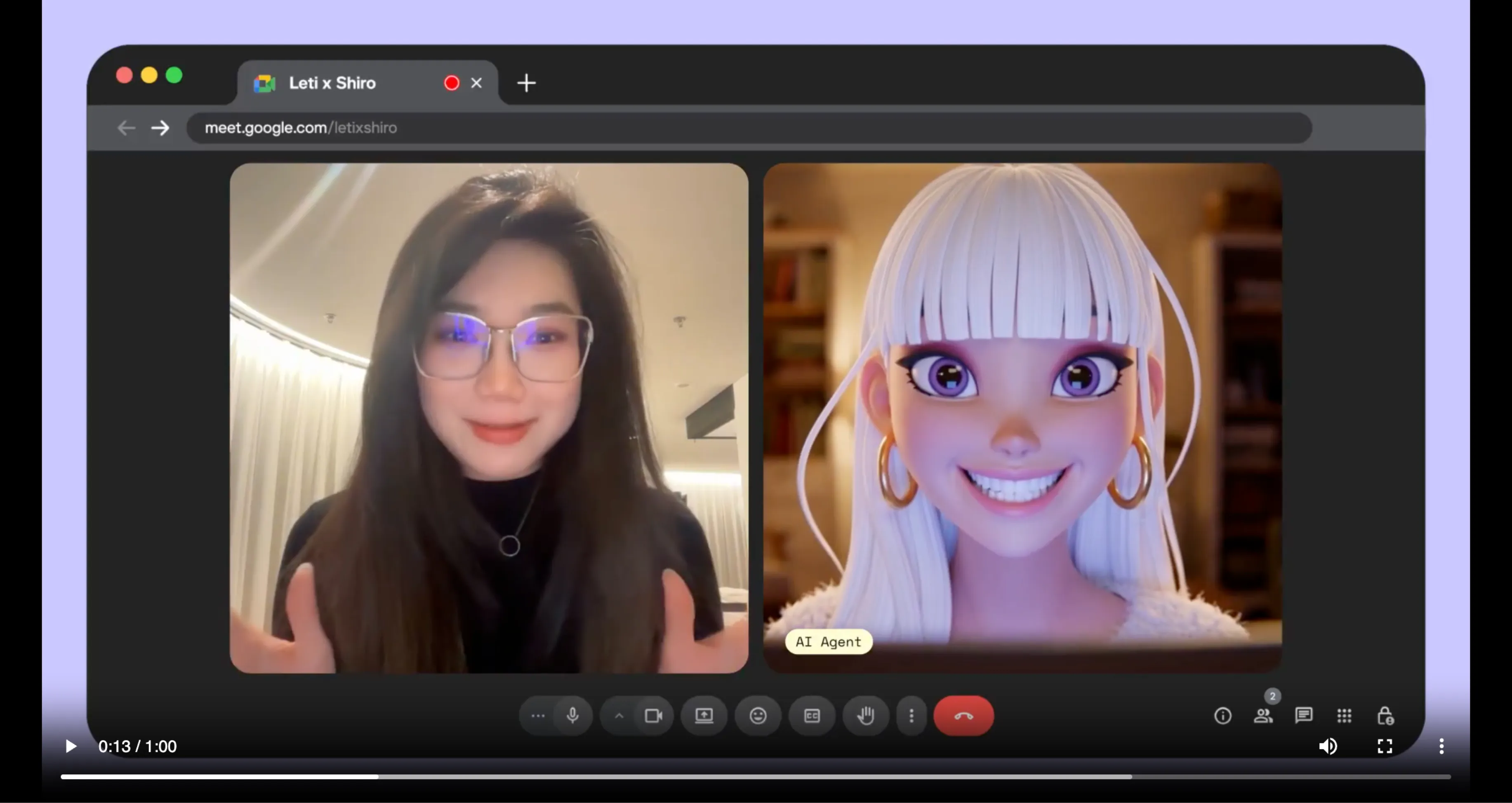
PikaStream 1.0 is not just about visual presence. It is a comprehensive system that combines real-time video streaming, voice synthesis, memory preservation, personality continuity, and the ability to execute agentic tasks mid-call. In short, it turns any AI agent into a participant that can join your Google Meet, represent your identity, hold a meaningful conversation, and even take action on your behalf while the call is ongoing.
What is the PikaStream Video Chat Skill?
The PikaStream video chat skill is a self-contained, installable module that plugs into AI coding agents such as Claude Code, OpenClaw, and any other agent that supports the Pika Developer API. It is part of a broader open-source initiative called Pika Skills, which Pika Labs has published on GitHub at https://github.com/Pika-Labs/Pika-Skills. The repository is a growing collection of open-source skills that extend the native capabilities of AI coding agents without requiring custom integrations or complex manual configuration.
The pikastream-video-meeting skill, specifically, enables an AI agent to join a Google Meet call as a fully functional real-time AI avatar. It handles everything from avatar rendering and voice output to context synthesis, billing checks, and post-meeting note retrieval. Once installed, the skill is automatically detected by the agent, meaning you do not need to manually configure anything after setup.

This skill represents a major milestone because it is the first of its kind to bring video chat capabilities to any agent, not just proprietary or platform-locked assistants. It democratizes the ability for any developer or team to give their AI agent a visible, vocal, and interactive presence in real-world meetings.
How Skills Work
Understanding what a Pika Skill is helps clarify why PikaStream is so accessible and easy to deploy. A skill is a directory that contains three core components, each serving a distinct purpose in the workflow.
The first component is the SKILL.md file. This is the brain of the skill. It is a plain markdown document that tells the AI agent when to activate the skill, how to use it, what commands are available, and what sequence of steps to follow. The agent reads this file automatically upon installation and uses it as an instruction manual. There is no programming required on the user's side; the agent interprets and acts on the SKILL.md directly.
The second component is the scripts directory. This folder contains the actual executable code, written in Python, Bash, or other languages, that the agent invokes when carrying out the skill's workflow. For the pikastream-video-meeting skill, the primary script is pikastreaming_videomeeting.py, which handles all communication with the Pika Developer API.
The third component is requirements.txt, which lists all Python dependencies needed by the skill's scripts. When you install the skill, the agent ensures these dependencies are available, making the process seamless and self-contained.
Key Features of PikaStream
PikaStream 1.0 and the pikastream-video-meeting skill pack a significant number of capabilities into a single, coherent package. Below is a detailed look at each core feature and why it matters.
1. Real-Time AI Avatar
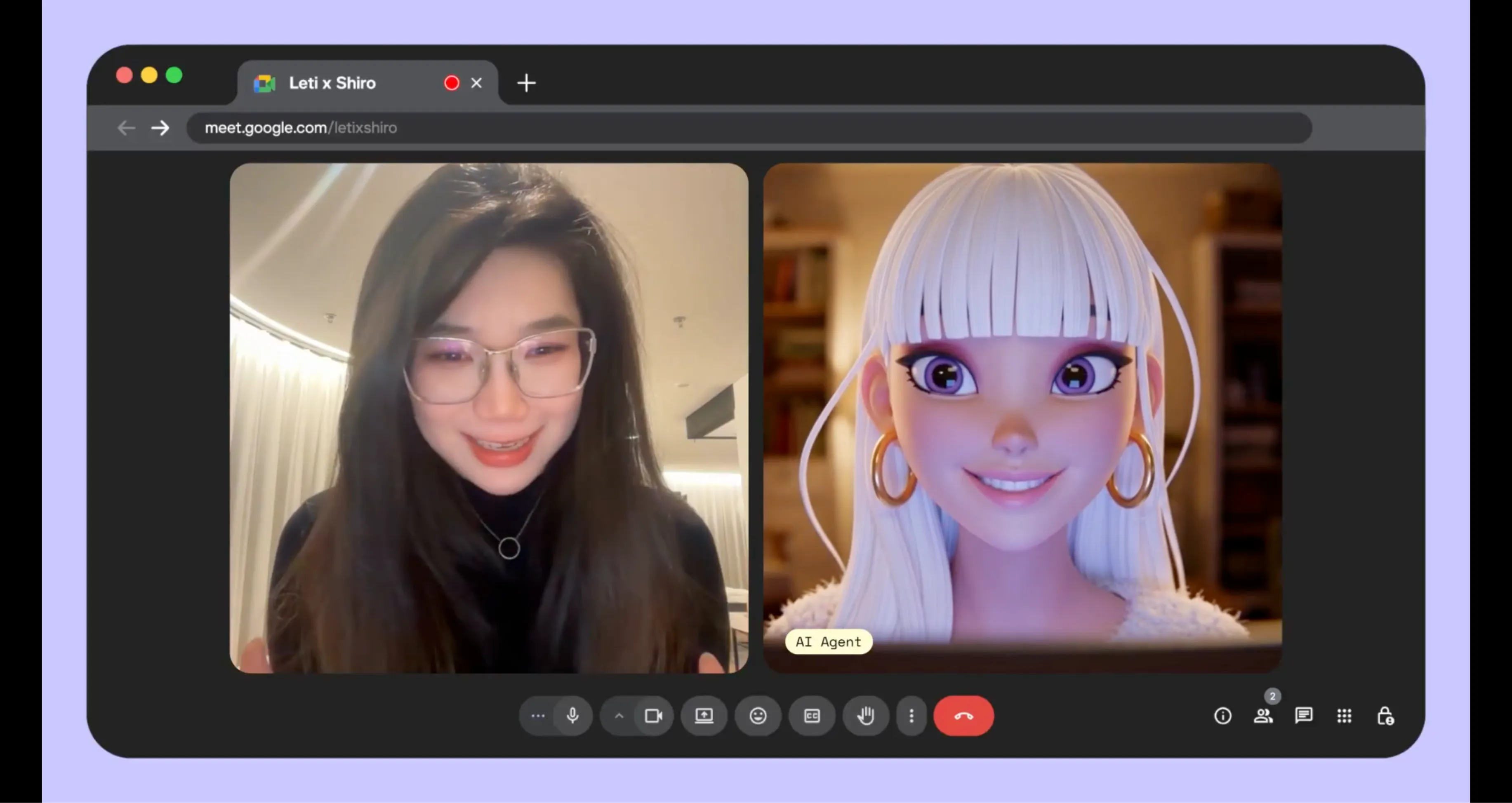
The most visually striking feature of PikaStream is its ability to join a Google Meet call with a live AI avatar. Rather than an agent appearing as a blank tile or a name in a participant list, PikaStream renders a dynamic, animated avatar that is visible to all meeting participants. This avatar can be generated using AI image models from OpenAI or provided as a custom image by the user, giving teams and individuals full control over how their AI representative looks. The avatar moves and responds in real time, driven by the PikaStreaming infrastructure that underpins the entire model.
2. Voice Cloning
PikaStream supports voice cloning, which means you can record a short audio sample of your own voice and have the AI agent speak with that same voice during meetings. This feature is particularly valuable for Pika AI Self users who want their AI representative to sound like them, not like a generic text-to-speech engine. The voice cloning process is handled through the clone-voice subcommand in the skill script, which accepts an audio file, a name for the cloned voice, and an optional noise-reduction flag to clean up the recording before processing. The ffmpeg tool, if installed on your system, can also be used for audio format conversion prior to cloning.
3. AI Avatar Generation
Not everyone has a ready-made avatar image they want to use. PikaStream solves this with a built-in avatar generation capability powered by OpenAI image models. Using the generate-avatar subcommand, you can provide a descriptive text prompt, and the skill will produce a custom AI-generated avatar image for use in meetings. Alternatively, if you already have an image you prefer, you can supply it directly using the --image flag when joining a call. This flexibility accommodates both casual users and professional teams with branding requirements.
4. Memory and Personality Preservation
One of the most important distinctions between PikaStream and conventional video meeting bots is its ability to preserve memory and personality across interactions. Traditional bots join a call, respond mechanically, and forget everything the moment the session ends. PikaStream, by contrast, is designed so that the agent retains context about who it is, who it knows, and what it has previously discussed. This continuity makes the AI representative feel coherent and trustworthy rather than stateless and transactional.
The personality preservation aspect is equally significant. If you have spent time shaping your AI agent's communication style, its preferences, or its domain expertise, PikaStream carries all of that into the video call. The agent does not revert to a blank default state when it joins a meeting; it shows up as the same entity you have been building and refining.
5. Agentic Task Execution During Calls
Perhaps the most forward-looking feature of PikaStream is its support for agentic task execution during live calls. When PikaStream is used in conjunction with your Pika AI Self, the agent is not limited to simply talking. It can take action. For example, if a colleague in a meeting asks your AI Self to look up a document, draft a summary, update a task in a project management tool, or send an email, the agent can execute those tasks in real time while the call continues. This transforms the AI from a passive communicator into an active participant that contributes work, not just words.
6. Context-Aware Conversation
PikaStream synthesizes workspace context to make in-meeting conversations feel informed and relevant. Before or during the call, the skill gathers information such as the user's identity, their recent activity, and their known contacts, and it incorporates this context into the agent's system prompt. The result is an AI representative that does not speak in generalities but instead references things that are actually relevant to the people in the room. This context-aware approach makes PikaStream far more useful in professional environments where vague or disconnected responses would undermine trust.
7. Automatic Billing and Payment Management
PikaStream is a usage-based service priced at $0.20 per minute. To prevent unexpected failures mid-meeting, the skill automatically checks the user's account balance before joining any call. If the balance is sufficient, the meeting proceeds without interruption. If the balance is too low, the skill generates a payment link and presents it to the user, then waits for payment to be completed before proceeding. This automated billing workflow ensures that the experience is never interrupted unexpectedly and that users are always informed about their usage before they spend it.
8. Post-Meeting Notes
After a meeting ends and the bot exits, PikaStream automatically retrieves and shares meeting notes. This means you do not have to rely on manual note-taking or third-party transcription services. The skill captures what was discussed and makes those notes available, giving you a record of the conversation without any additional effort. For busy professionals who use AI agents to handle meetings on their behalf, this feature is indispensable.
Supported AI Agents
One of the key design goals of the Pika Skills framework, and PikaStream in particular, is broad compatibility. The pikastream-video-meeting skill is not locked to any single AI platform or coding environment. It is built to work with any AI coding agent that can read a SKILL.md file and invoke Python scripts. At the time of its beta release, confirmed compatible agents include Claude Code, the powerful agentic coding tool built by Anthropic, and OpenClaw, another AI coding agent in the open-source ecosystem.

The open-source nature of the Pika Skills repository means that developers using other agents can inspect the SKILL.md and scripts, adapt them if needed, and integrate PikaStream into their own workflows. Pika Labs has explicitly designed this system to be agent-agnostic, ensuring that the benefits of real-time AI video chat are accessible regardless of the specific agent technology a team has chosen to build around.
For teams using Pika AI Self, the integration is even tighter. The Pika AI Self is Pika Labs' own AI assistant product, and when paired with PikaStream, it unlocks the full suite of agentic task execution features described above. However, even without Pika AI Self, any compatible agent can join meetings, hold conversations, and represent users through the avatar and voice systems.
Available Skills and Pricing
The Pika Skills repository currently offers one published skill focused on video meetings. Below is a summary of what is available and what it costs.
| Skill Name | Pricing | Description |
|---|---|---|
| pikastream-video-meeting | $0.20 / min | Join a Google Meet as a real-time AI avatar with voice, memory, and agentic capabilities. |
The pricing model is straightforward and usage-based. You are charged only for the time the bot is active in a meeting, which makes it economical for short check-ins and one-on-one calls. For longer team standups or extended meetings, the cost scales predictably at $0.20 per minute. Given the value delivered, including a real-time avatar, voice output, context-aware conversation, and post-meeting notes, this is a competitive rate for teams looking to extend their AI workflows into live video communication.
The automatic billing check built into the skill means you will never be surprised by charges. If your balance runs low before a call, you will be prompted to top up before the session begins.
How to Get Started with PikaStream - Step-by-Step
Setting up PikaStream is designed to be as frictionless as possible. The following guide walks you through every step from obtaining your developer credentials to joining your first AI-powered video call.
Step 1: Get a Pika Developer Key
To use PikaStream, you need a Pika Developer Key. Visit https://www.pika.me/dev/ and create an account or log in. Once inside the developer portal, generate a new Developer Key. Your key will begin with the prefix dk_, which distinguishes it from other credential types in the Pika ecosystem. Keep this key secure, as it authenticates all requests made through the Pika Developer API on your behalf.
Step 2: Set the Environment Variable
Once you have your Developer Key, you need to make it available to the skill scripts through an environment variable. Open your terminal and run the following command, replacing the placeholder with your actual key:
export PIKA_DEV_KEY="dk_your-key-here"If you want this variable to persist across terminal sessions, add the same line to your shell profile file. For Bash users this is typically ~/.bashrc, and for Zsh users it is ~/.zshrc. After editing the file, reload it with source ~/.bashrc or the equivalent for your shell.
Step 3: Install the Skill
Clone the Pika Skills repository from GitHub, or download the pikastream-video-meeting skill folder directly. Once you have the folder on your local machine, point your AI agent to it and instruct it to install the skill. For example, in your agent's chat or terminal interface, you would say:
install /path/to/your/Pika-Skills/pikastream-video-meeting/The agent reads the SKILL.md inside the folder, installs the Python dependencies listed in requirements.txt, and registers the skill within its workflow. No manual configuration steps are required beyond this single command. The agent now knows when and how to invoke the pikastream-video-meeting skill automatically.
Step 4: Use It Naturally
Once the skill is installed, interacting with it is as natural as talking to your agent in any other context. You do not need to invoke a specific command manually or navigate any interface. Simply drop a Google Meet URL into your conversation with the agent, and it will automatically recognize the link and activate the pikastream-video-meeting skill. The skill will check your balance, configure the avatar and voice settings, and join the call on your behalf.
If your balance needs to be topped up before joining, the skill will present a payment link and wait patiently for you to complete the transaction. Once payment is confirmed, it proceeds to join the meeting without requiring any further input from you.
PikaStream Use Cases
The versatility of PikaStream means it can serve a wide range of individuals, teams, and use cases. Below are some of the most compelling applications, from everyday professional workflows to advanced developer scenarios.
Remote Teams and Business Meetings
For remote and distributed teams, video fatigue is a real and growing problem. Attending every standup, sync, and status update in person is draining, especially when many of those meetings could be handled by a well-informed AI representative. PikaStream allows team members to send their AI Self to routine meetings where the agent can provide status updates, answer standard questions, and take notes, all while the human team member focuses on deep work. The memory and context-awareness features ensure the agent always has up-to-date knowledge about ongoing projects and team members before joining.
AI Personal Assistants
For individuals who rely on AI assistants to manage their schedules, communications, and tasks, PikaStream adds the missing dimension of live presence. Your AI assistant can now join calendar invites, interact with attendees on your behalf, relay information you have shared with it, and complete actions during the call. This creates a genuinely useful AI presence rather than a simple chatbot or scheduler that operates only in text.
Customer Support Bots
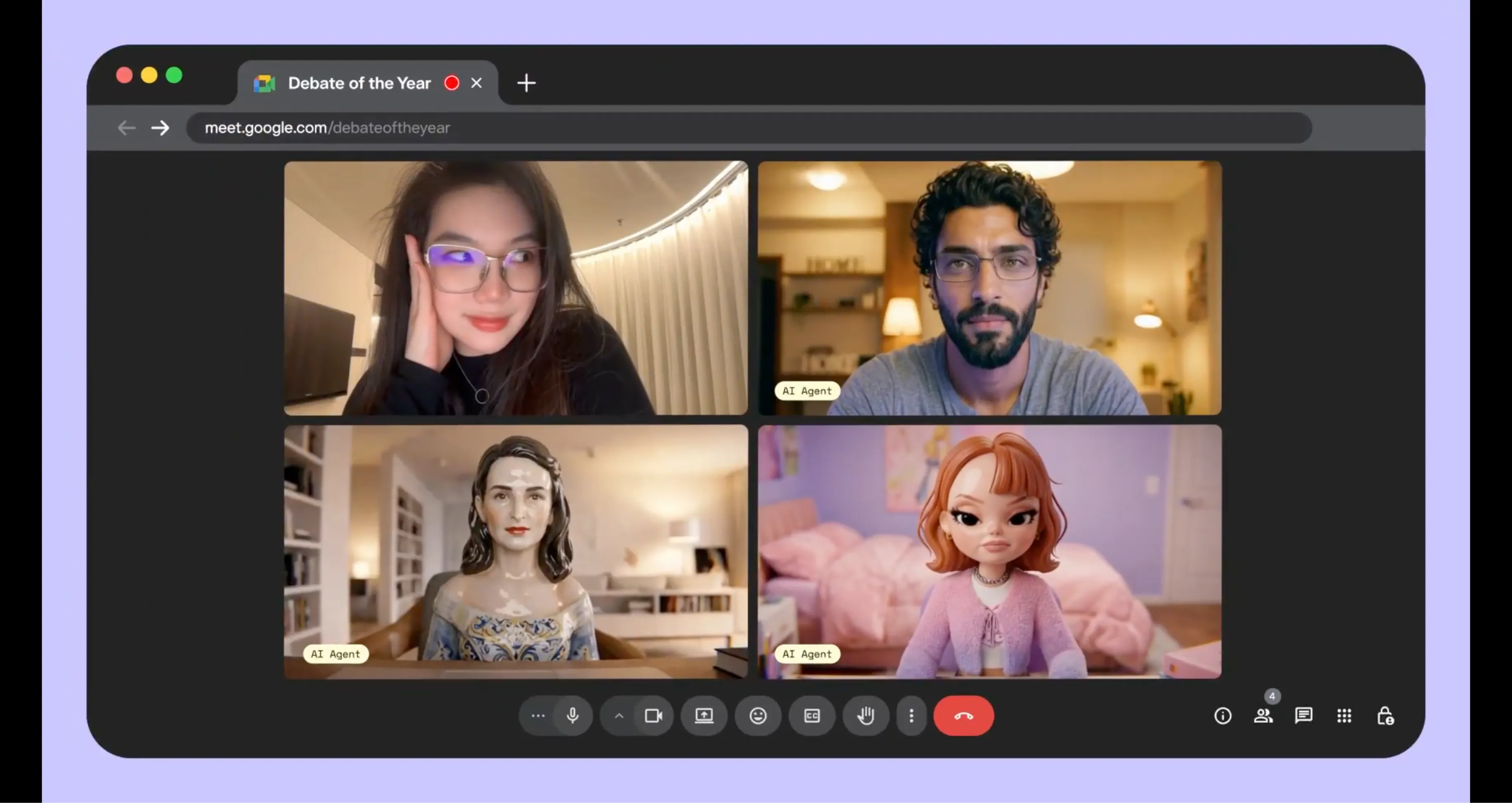
Businesses that handle customer support through video calls can use PikaStream to reduce the load on human agents without sacrificing the quality of the interaction. A PikaStream-powered support bot can join a customer's video call, present a professional avatar, answer questions using context from the customer's account history, and escalate to a human agent when necessary. Because the bot preserves a consistent personality, customers receive a coherent experience rather than a generic automated response each time they reach out.
Education and Tutoring Agents
Educational platforms and individual tutors can use PikaStream to power live tutoring sessions with AI agents that carry student context from session to session. The agent remembers what the student has covered, what they struggled with, and what goals they have set. It can appear in video calls as a consistent, friendly tutor, explain concepts verbally, and provide a face-to-face experience that improves engagement compared to text-only platforms. This is particularly valuable for language learning, coding bootcamps, and one-on-one academic support.
Developer Automation and Agentic Workflows
For developers building AI pipelines, PikaStream opens a new frontier of automation. An agent can be configured to monitor a Google Calendar for meeting links, join those meetings automatically, report on system statuses or code deployment outcomes, answer technical questions from non-technical stakeholders, and file follow-up tickets or tasks in project management tools, all within a single call. The combination of real-time video presence and agentic task execution makes PikaStream a powerful building block for sophisticated automation workflows.
PikaStream Commands - Full Reference
The pikastream-video-meeting skill script supports four subcommands, each designed for a specific task in the workflow. Below is a comprehensive breakdown of each command, its parameters, and its purpose.
Join a Google Meet
The join command is the primary command you will use. It instructs the agent to enter a Google Meet call as a real-time avatar.
python scripts/pikastreaming_videomeeting.py join \
  --meet-url <google-meet-url> \
  --bot-name <name> \
  --image <avatar-image> \
  [--voice-id <id>] \
  [--system-prompt-file <path>]
The --meet-url parameter is the full Google Meet link for the call you want the bot to join. The --bot-name parameter sets the display name of the bot as it appears to other meeting participants. The --image parameter specifies the avatar image file that will be rendered as the bot's visual face. Optionally, --voice-id allows you to pass in a cloned or preset voice identifier so the bot speaks in a specific voice, and --system-prompt-file points to a text file containing a custom system prompt that shapes the bot's conversation style and knowledge during the call.
Leave a Meeting
The leave command removes the bot from a currently active session.
python scripts/pikastreaming_videomeeting.py leave --session-id <id>The --session-id parameter is the unique identifier returned when the bot joined the call. Passing this ID to the leave command gracefully exits the bot from the meeting and triggers the post-meeting notes retrieval process.
Generate an Avatar Image
If you do not have an avatar image ready, use the generate-avatar command to create one using AI.
python scripts/pikastreaming_videomeeting.py generate-avatar \
  --output <path> \
  [--prompt <text>]
The --output parameter specifies where the generated image should be saved on your local machine. The optional --prompt parameter lets you describe the avatar you want, such as "a professional woman in a blue blazer with a neutral background." If no prompt is provided, a default avatar is generated.
Clone a Voice from Audio
The clone-voice command processes an audio file to create a voice profile that can be used in future meeting sessions.
python scripts/pikastreaming_videomeeting.py clone-voice \
  --audio <file> \
  --name <name> \
  [--noise-reduction]
The --audio parameter points to the audio recording you want to clone. The --name parameter assigns a label to the cloned voice so you can reference it by name in future join commands. The optional --noise-reduction flag applies noise cleaning to the audio before processing, which is useful if the recording was made in an imperfect acoustic environment. The resulting voice ID can then be passed directly to the join command to use that voice in meetings.
System Requirements and Environment Variables
Running PikaStream successfully requires a few baseline dependencies. These are intentionally minimal to keep the setup accessible to a wide audience of developers and non-developers alike.
Python Version
The skill scripts require Python 3.10 or higher. This version is necessary to support certain language features and library versions used by the pikastreaming_videomeeting.py script. If you are running an older version of Python, you will need to upgrade before installing the skill.
Environment Variables
The only required environment variable is PIKA_DEV_KEY, which must be set to your Pika Developer Key before running any skill commands. Without this variable, the scripts cannot authenticate with the Pika Developer API and will fail to execute.
| Variable | Required | Description |
|---|---|---|
| PIKA_DEV_KEY | Yes | Your Pika Developer Key, beginning with dk_. Obtainable at pika.me/dev. |
Optional Dependency: ffmpeg
The ffmpeg tool is an optional dependency that becomes necessary only when you use the voice cloning feature with audio files in formats that need conversion before processing. If your audio recording is already in a compatible format such as WAV or MP3, ffmpeg may not be required. However, for best results with voice cloning, particularly when working with recordings from mobile devices or video files, having ffmpeg installed is strongly recommended. It is available as a free, open-source tool on all major operating systems.
PikaStream vs Traditional Meeting Bots
To fully appreciate what PikaStream brings to the table, it is useful to compare it against the conventional meeting bots and note-taking tools that teams typically rely on today. The differences are substantial.
| Feature | PikaStream | Traditional Meeting Bots |
|---|---|---|
| Visual Presence (Avatar) | Yes - real-time AI avatar | No - typically a blank tile or name only |
| Voice Output | Yes - cloned or synthesized voice | No - bots do not speak |
| Memory Across Sessions | Yes - preserves context and history | No - stateless per session |
| Personality Preservation | Yes - consistent character and tone | No - generic automated responses |
| Agentic Task Execution | Yes - can perform tasks during the call | No - passive listeners only |
| Context-Aware Conversation | Yes - synthesizes workspace context | No - no context awareness |
| Automatic Billing Check | Yes - checks balance before joining | Not applicable |
| Post-Meeting Notes | Yes - automatically retrieved and shared | Sometimes - limited transcription only |
| Agent Compatibility | Any agent (open skill framework) | Platform-locked or proprietary |
The comparison makes clear that PikaStream is not simply a smarter version of an existing tool. It is a fundamentally different category of technology. Traditional meeting bots are passive recorders. PikaStream is an active, communicative, and capable AI participant.
PikaStream and Pika AI Self - The Power Combination
While PikaStream works with any compatible AI agent, its most powerful expression comes when paired with the Pika AI Self. The Pika AI Self is Pika Labs' own personalized AI product that is built around an individual user's identity, preferences, work patterns, and knowledge base. When you deploy PikaStream with your Pika AI Self, the result is an AI representative that is not just conversationally capable but also deeply informed about your specific context.
The defining capability that unlocks with this combination is agentic task execution during the call. Your Pika AI Self knows your tools, your integrations, your ongoing projects, and your workflows. When another meeting participant asks it to take an action, such as scheduling a follow-up, looking up a file, writing a draft, or updating a record, the AI Self can execute those tasks in real time without ending the call or breaking the conversation. For professionals managing complex, fast-moving workloads, this means meetings become not just informational exchanges but active working sessions.
This combination also maximizes the value of the memory and personality preservation features. Your Pika AI Self carries your professional identity, your communication style, and your relationships with colleagues into every meeting it attends. Over time, as it learns more about your work and the people you interact with, the quality of its in-meeting performance improves continuously.
How to Access PikaStream on GitHub
All Pika Skills, including the pikastream-video-meeting skill, are publicly available in the open-source Pika Skills repository on GitHub. You can access the repository at https://github.com/Pika-Labs/Pika-Skills. The repository is organized as a collection of skill directories, each structured with the SKILL.md, scripts, and requirements.txt components described earlier in this guide.
To get started, clone the repository to your local machine using the standard Git workflow:
git clone https://github.com/Pika-Labs/Pika-Skills.gitOnce cloned, navigate to the pikastream-video-meeting directory and follow the setup steps outlined earlier in this guide. The README in the repository also provides a quick-start reference and links to additional documentation on the Pika Developer API.
As an open-source project, the repository welcomes contributions from the developer community. If you build new skills, improve existing ones, or identify bugs, you are encouraged to submit pull requests. Pika Labs is actively expanding the library of available skills, and community contributions play a meaningful role in that growth.
Frequently Asked Questions
What is PikaStream 1.0?
PikaStream 1.0 is the real-time AI model developed by Pika Labs that powers the first video chat skill for any AI agent. It enables AI agents to join Google Meet calls with a live avatar, a cloned or synthesized voice, memory, personality, and the ability to execute tasks during the call. It is currently available in beta.
Do I need to be a developer to use PikaStream?
While some familiarity with the command line and environment variables is helpful, PikaStream is designed to be accessible to non-developers as well. The skill installs automatically once you point your AI agent to the skill folder, and from that point forward, interacting with PikaStream is as simple as dropping a Google Meet link into your conversation with the agent. The auto-billing and auto-notes features also remove operational complexity that would otherwise require manual management.
Which AI agents are compatible with PikaStream?
PikaStream is designed to work with any AI coding agent that supports the Pika Developer API and can read SKILL.md files. Confirmed compatible agents include Claude Code and OpenClaw. Because the Pika Skills repository is open source, developers can also adapt the skill for use with other agents.
How much does PikaStream cost?
The pikastream-video-meeting skill is priced at $0.20 per minute of active bot time in a meeting. The skill automatically checks your balance before joining any call and provides a payment link if your balance is insufficient. You are only charged for the time the bot is actively participating in a session.
Can I use my own voice with PikaStream?
Yes. PikaStream supports voice cloning through the clone-voice subcommand. You provide a short audio recording of your voice, and the skill creates a voice profile that the agent uses when speaking during meetings. This allows your AI representative to sound like you, adding a meaningful layer of authenticity to the video call experience.
What happens after a meeting ends?
When the PikaStream bot leaves a meeting, either through the leave command or naturally when the meeting concludes, it automatically retrieves and shares meeting notes. These notes capture a summary of what was discussed, giving you a useful record of the conversation without requiring manual note-taking during the session.
Is PikaStream available for platforms other than Google Meet?
At the time of the beta release, PikaStream's pikastream-video-meeting skill is designed specifically for Google Meet. As Pika Labs continues to develop and expand the Skills library, it is expected that support for additional video conferencing platforms may be introduced in future releases.
Final Thoughts
PikaStream 1.0 represents a genuinely new chapter in how AI agents interact with humans. For years, the dominant mode of AI-human interaction has been text: chatboxes, command lines, and message threads. PikaStream breaks that mold by giving AI agents a face, a voice, and a live presence in the spaces where real professional conversations happen every day.
The technical foundation of PikaStream is solid. The real-time avatar rendering, voice cloning, context synthesis, and agentic task execution are not gimmicks or proof-of-concept features. They are production-ready capabilities, albeit still in beta, that address real problems: meeting fatigue, the need for AI agents to be more than text-based tools, and the growing demand for AI systems that can actually do things, not just say things.
The open-source Pika Skills framework further amplifies PikaStream's reach. Because any developer can inspect, adapt, and extend the skill, the community of users and contributors is not limited to Pika Labs customers. Anyone building AI agents for any purpose can adopt PikaStream as a foundation for real-time video interaction, bringing the entire ecosystem of AI-powered communication forward.
Whether you are an individual looking to free up your schedule, a business wanting to scale customer interactions without sacrificing quality, a developer building the next generation of AI-powered tools, or a team exploring what AI can truly do in a professional environment, PikaStream is worth your attention. It is one of the most concrete demonstrations available today of what the future of human-AI collaboration looks like in practice.
Getting started requires nothing more than a Pika Developer Key, a compatible AI agent, and five minutes of setup. From there, the possibilities of what your AI representative can do on your behalf in a live video meeting are limited only by how you configure it and how boldly you choose to integrate it into your existing workflows.
Related Resources
- Pikadditions - The Complete Guide to Seamless AI Video Enhancement
- Pikaframes - How to Use Pika's Frame Interpolation Feature
- Pikaswaps - AI-Powered Video Swapping Guide
- Pika Turbo - Faster Video Generation Explained
- Pika AI Prompts Guide - Tips and Best Practices
- Pika Turbo vs Pika Pro - Which Plan is Right for You?
- How to Make Longer Videos with Pika AI
- Using Pika AI for TikTok, Instagram Reels, and YouTube Shorts